Before we start
Registering on cryptocurrency exchanges happens outside the ZEN.COM app. These instructions are here to help you navigate the process. If something doesn’t work on the cryptocurrency exchange side, their support team is the best place to get answers.
You can sign up using your email address, phone number, Apple account, or Google account. Here’s how to do it:
- Go to the official Bitget website (external link).
-
Enter your email address or phone number. You can add a referral code if you have one.
Tip: Use the same email or phone number you use for your ZEN account.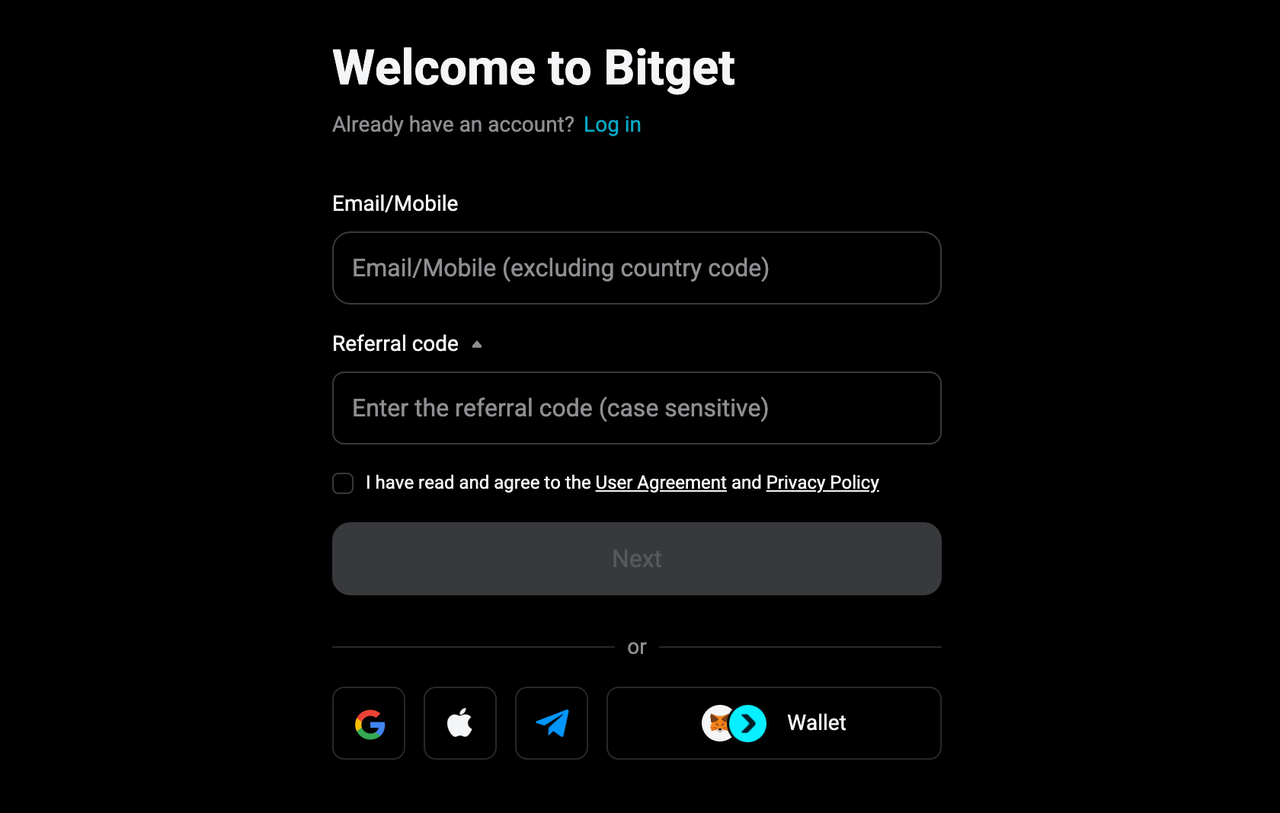
- Review Bitget’s User Agreement and Privacy Policy. Check the box to confirm, then select “Next”.
- Set a strong password that meets Bitget’s requirements.
- Verify your email or mobile number. Bitget will send you a 6-digit code. Enter it on the Bitget website and select “Sign up”.
That’s it. Your Bitget account is now created. To start trading or link it to ZEN.COM, you’ll need to complete identity verification.
Identity verification is required before you can trade or connect Bitget with your ZEN.COM account. To verify:
- Log in to your Bitget account (external link) and select your profile icon in the top-right corner.
- Select “Identity Verification”.

- Under “Individual Verification”, select “Verify”.
- Follow the on-screen instructions. Bitget will ask for your country, personal details matching your identity document, a document scan and a short video verification.
Use the same document and personal data you used when registering your ZEN account.
- Bitget will review your submission and notify you once verification is complete.