Before we start
Registering on cryptocurrency exchanges happens outside the ZEN.COM app. These instructions are here to help you navigate the process. If something doesn’t work on the cryptocurrency exchange side, their support team is the best place to get answers.
You can create your Kanga Exchange account with your email address on the Kanga website. Here’s how to do it:
- Go to the official Kanga Exchange website (external link).
- Enter your email address. Kanga will send you an email with an activation link.
Tip: Use the same email you have linked to your ZEN account. - Open the message from Kanga Exchange and tap “Activate the account”.
- Set a strong password you’ll use to log in. It must be at least 8 characters long and include uppercase and lowercase letters, numbers, and symbols.
- Close the confirmation window to return to the login page.
- Log in using the email and password you’ve just set.
- Complete the short security survey shown on the screen.
That’s it. Your Kanga Exchange account is now created. To trade or link it to ZEN.COM, you’ll need to complete identity verification.
Before you can trade cryptocurrency or connect your account to ZEN.COM, you’ll need to verify your identity in Kanga Exchange. Follow these steps:
-
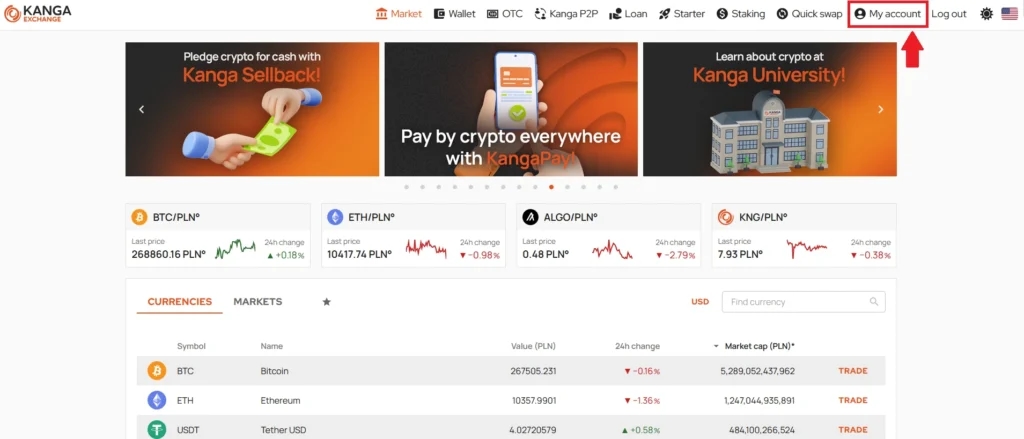
Log in to your Kanga Exchange account, and select “My account” in the top-right corner.
-
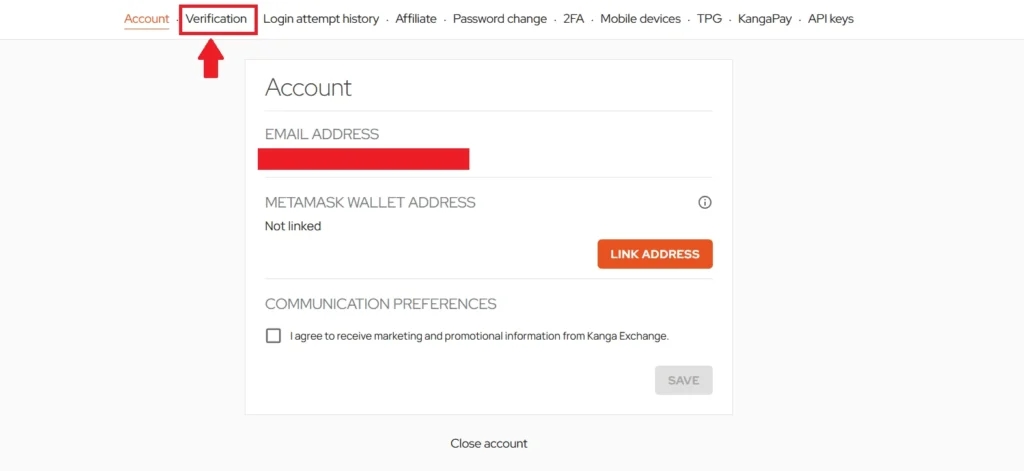
Open the “Verification” tab.
-
Choose your account type and start the verification.
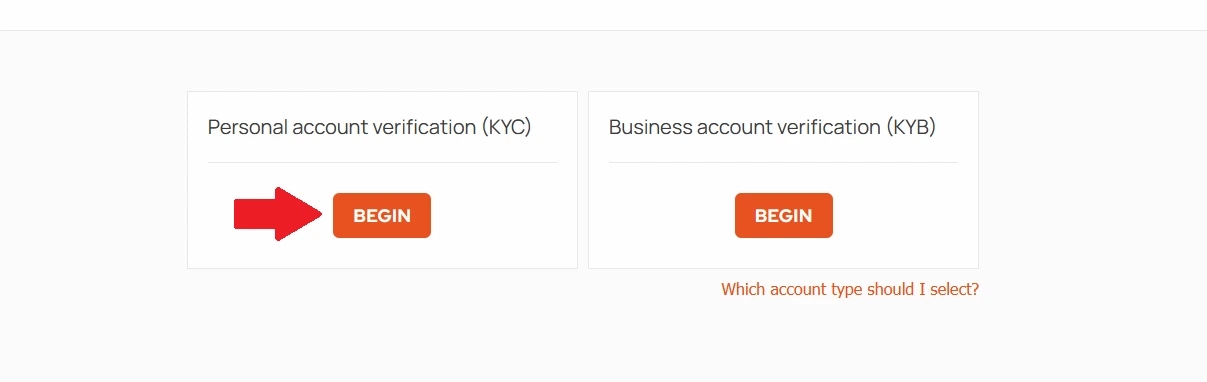
- Follow the instructions on the screen. Prepare a valid government-issued identity document, and a proof of address.
Tip: Make sure the document and personal details match the ones used in your ZEN account. - When everything is completed, select “Finish”.
Kanga will review your details and notify you once it’s approved.